Choose what goes in.
Select microphone inputs, all Mac audio, or a specific output device.
 TalkspoolGet the app
A little utility for your Mac
Keep your voice and what your Mac plays in separate tracks. Add a combined mix, then take the files into your own workflow.
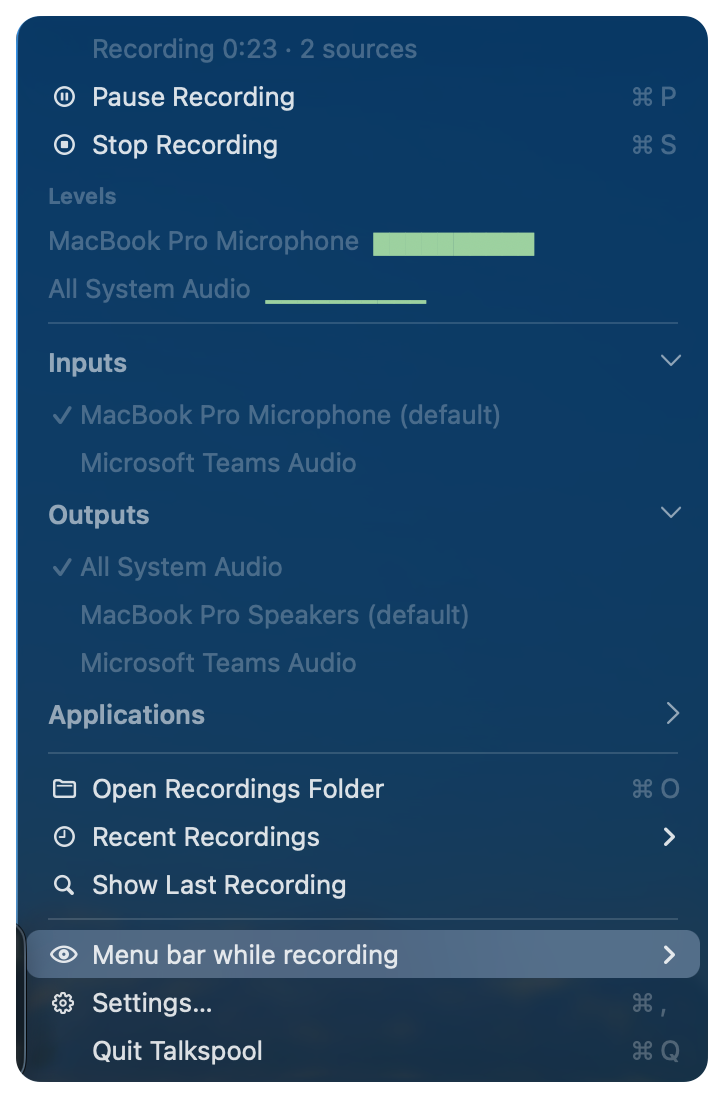
Watch the source levels and pause or stop from the menu bar.
View full size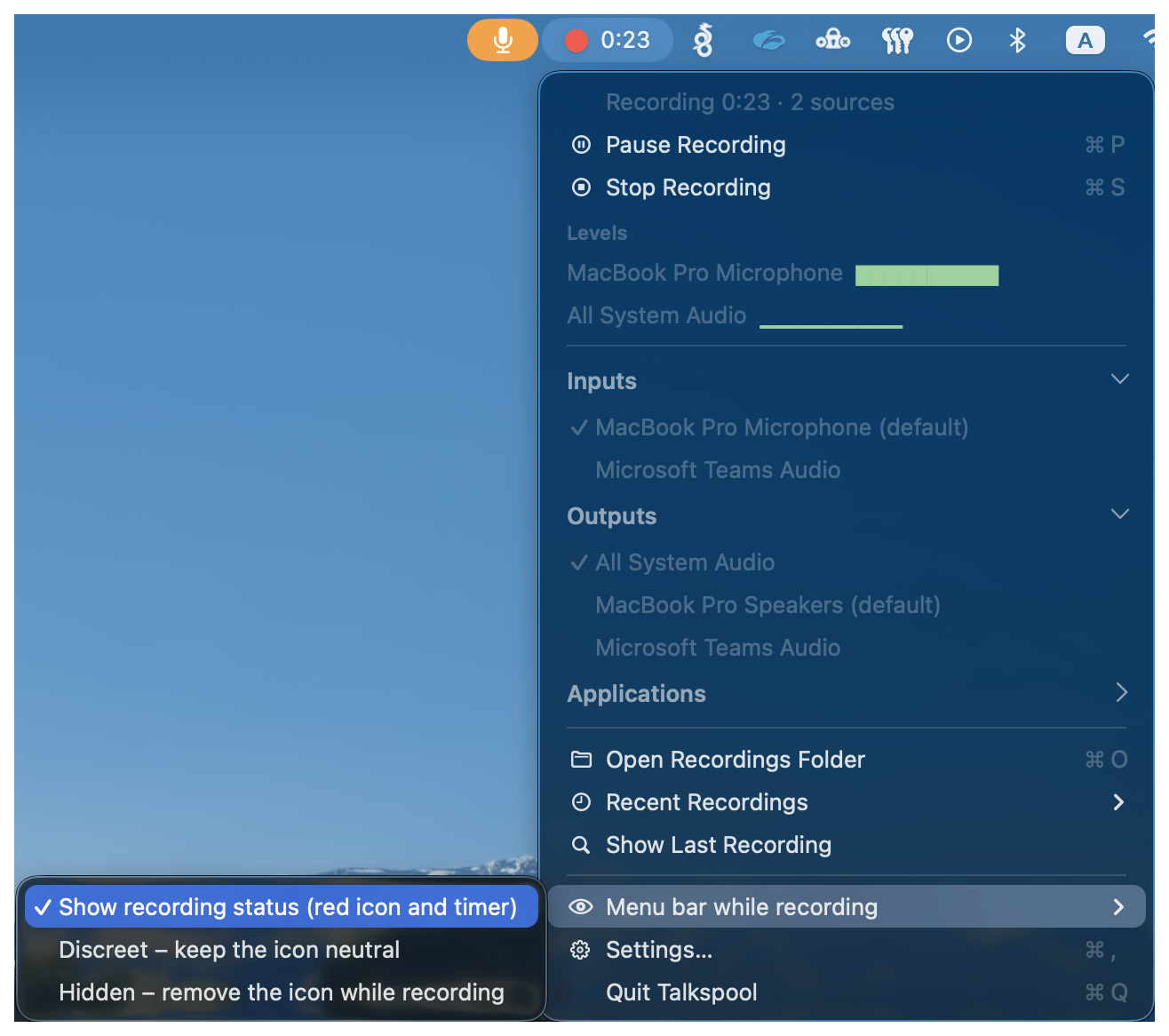
Show the red icon and timer, keep the icon neutral, or hide it while recording. Hidden mode also suppresses automatic alerts; use the global shortcut to stop.
View full size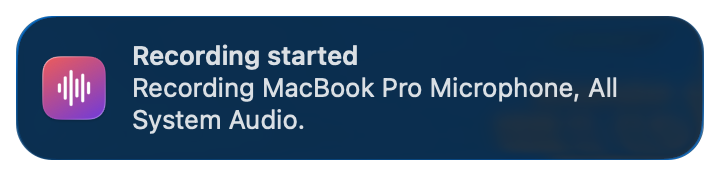
Optional notifications announce recording events. This example shows the selected sources when a recording starts.
View full size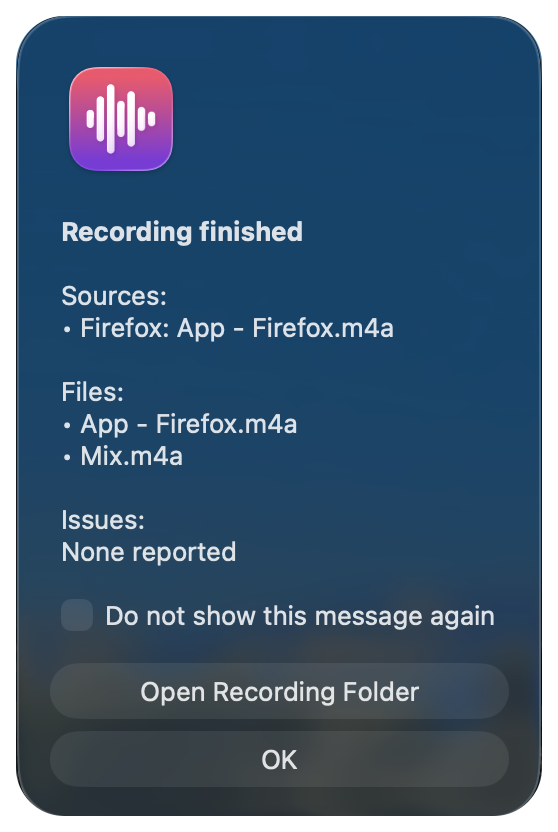
Review the saved tracks and mix, then open the recording folder. This summary is from a separate example session.
View full size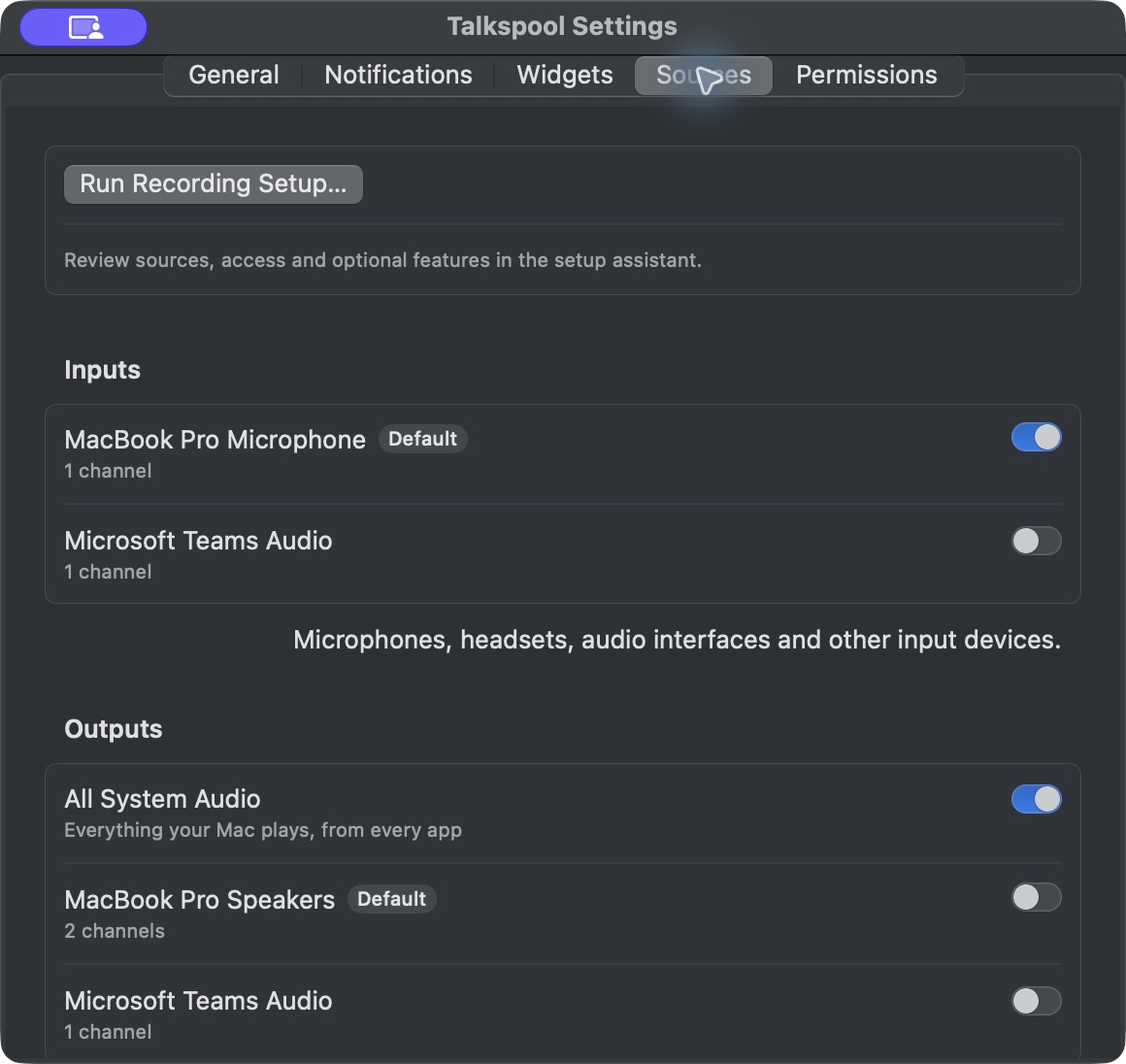
Choose microphone inputs and the Mac audio you want to keep.
View full size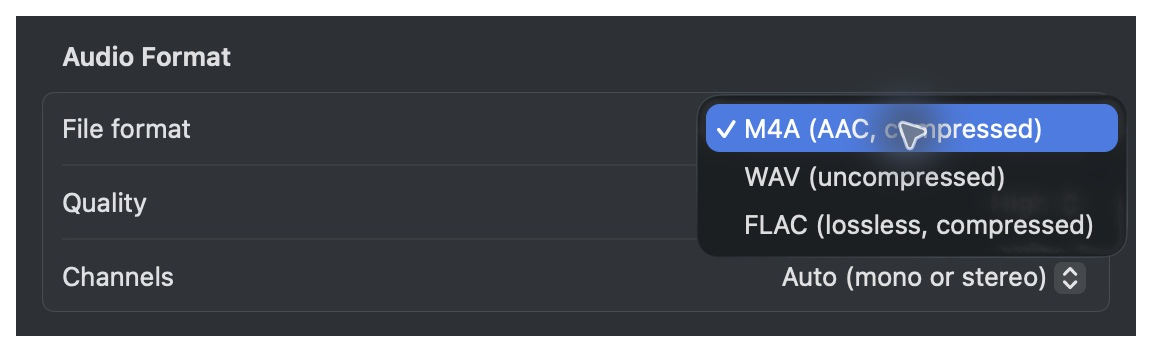
Choose M4A, WAV or FLAC for the files you take into your workflow.
View full size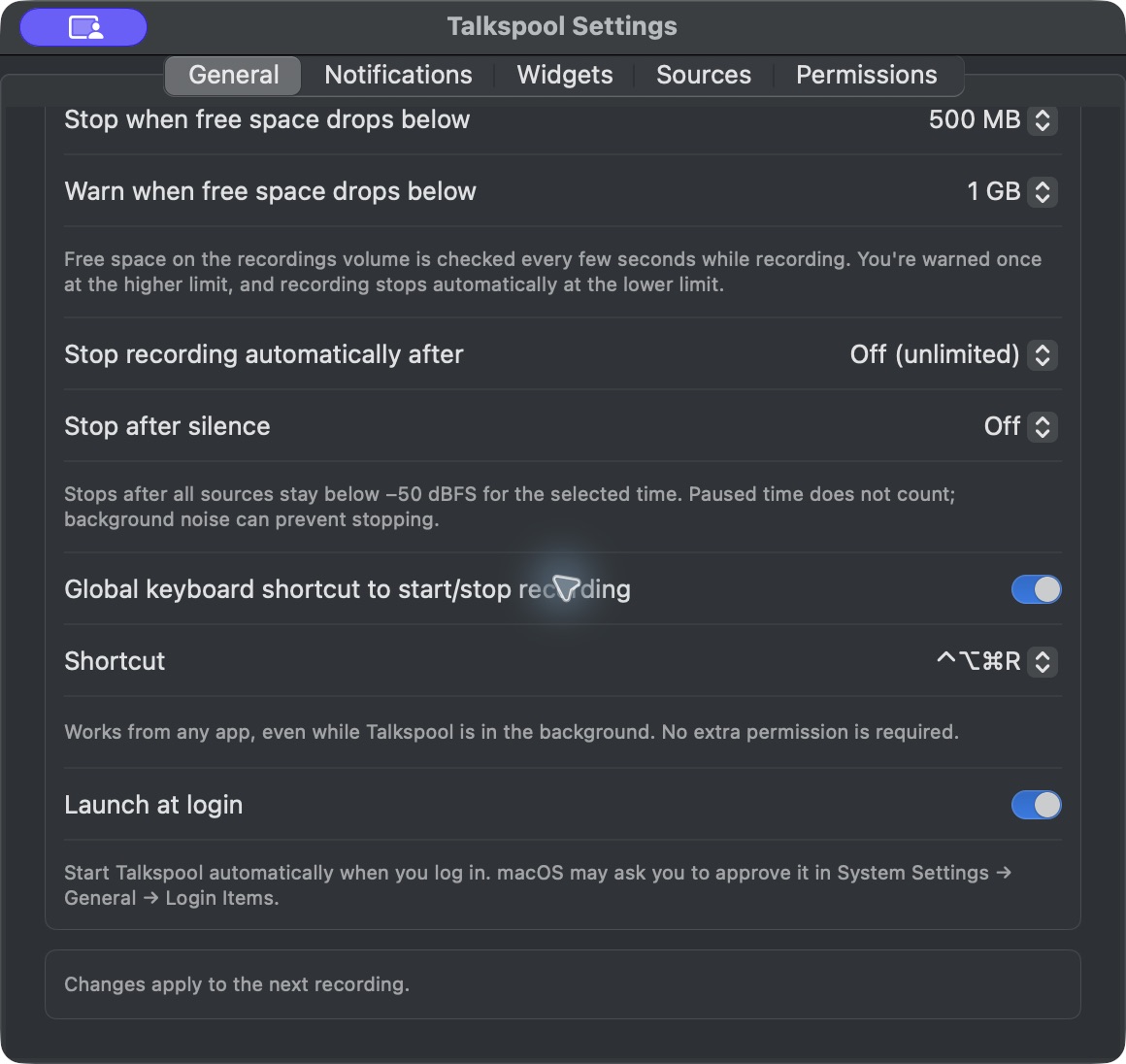
Configure recording limits in General settings.
View full sizeA recording, with room to work
Capture the sources you need and keep them ready for listening or editing.
Select microphone inputs, all Mac audio, or a specific output device.
Start and stop from the menu bar. Check audio levels while you record.
Save individual source tracks with an optional combined mix. Choose M4A, WAV, or FLAC.
Open your recording’s session folder in Finder, then listen or import the files into your preferred tool.
From source to session folder
Select your microphone and the Mac audio you want to capture.
Review the level meters and make a short test recording before your session.
Start the recording, then stop when you have what you need.
Find source tracks and your optional mix together in the session folder.
Source selection in Talkspool settings.
One session. Separate possibilities.
Keep your microphone and Mac audio separate for editing, or create a combined file for listening. Your session folder brings the files together.

A saved session in Finder, with microphone and system audio tracks alongside a mix.
Scroll horizontally to see all file details.
Desktop widgets
Preview the small and medium widgets, with recording status and a Start button close at hand.
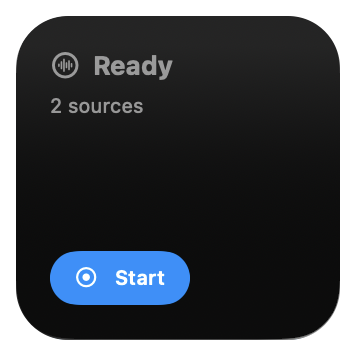
Small widget: recording status and compact controls.
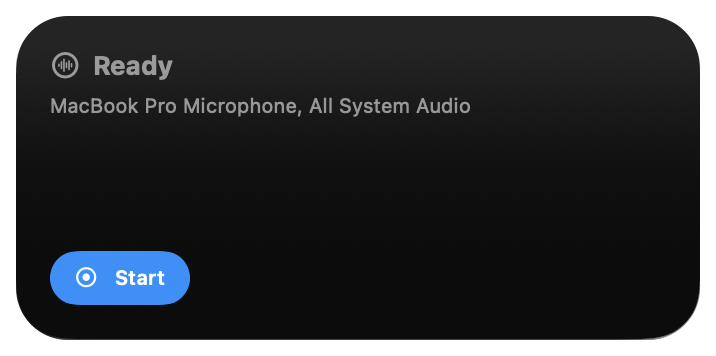
Medium widget: selected source names and recording controls.
Good to know
The app targets macOS 14.2 and later. Compatibility across all supported versions and device configurations is still being verified.
macOS recording permissions are needed for the sources you select. Setup includes permission guidance and a short test recording. Check that the audio you need is present before starting a session.
M4A (AAC), WAV, and FLAC are supported recording formats. Source tracks and an optional combined mix are saved in a session folder you can open in Finder.
Built-in transcription is planned and is not currently available. You can use saved audio with your preferred transcription tool, subject to that tool’s format support.
Yes. Select individual apps alongside microphone inputs. Browser capture includes all tabs. Compatibility with individual apps and macOS versions is still being verified.
Made for the menu bar
Record selected sources, open the session folder, and use the files in the tools you already know.